Hideway
Web Design
2022

Concreap, is a transformative online learning platform designed to empower individuals with the skills they need to become outstanding professionals. It also provides businesses, creators, and educators with the tools to share knowledge and train their teams effectively.
The platform bridges the gap between learning and application, providing both learners and organizations with an intuitive, interactive, and secure environment for skill development and talent growth.
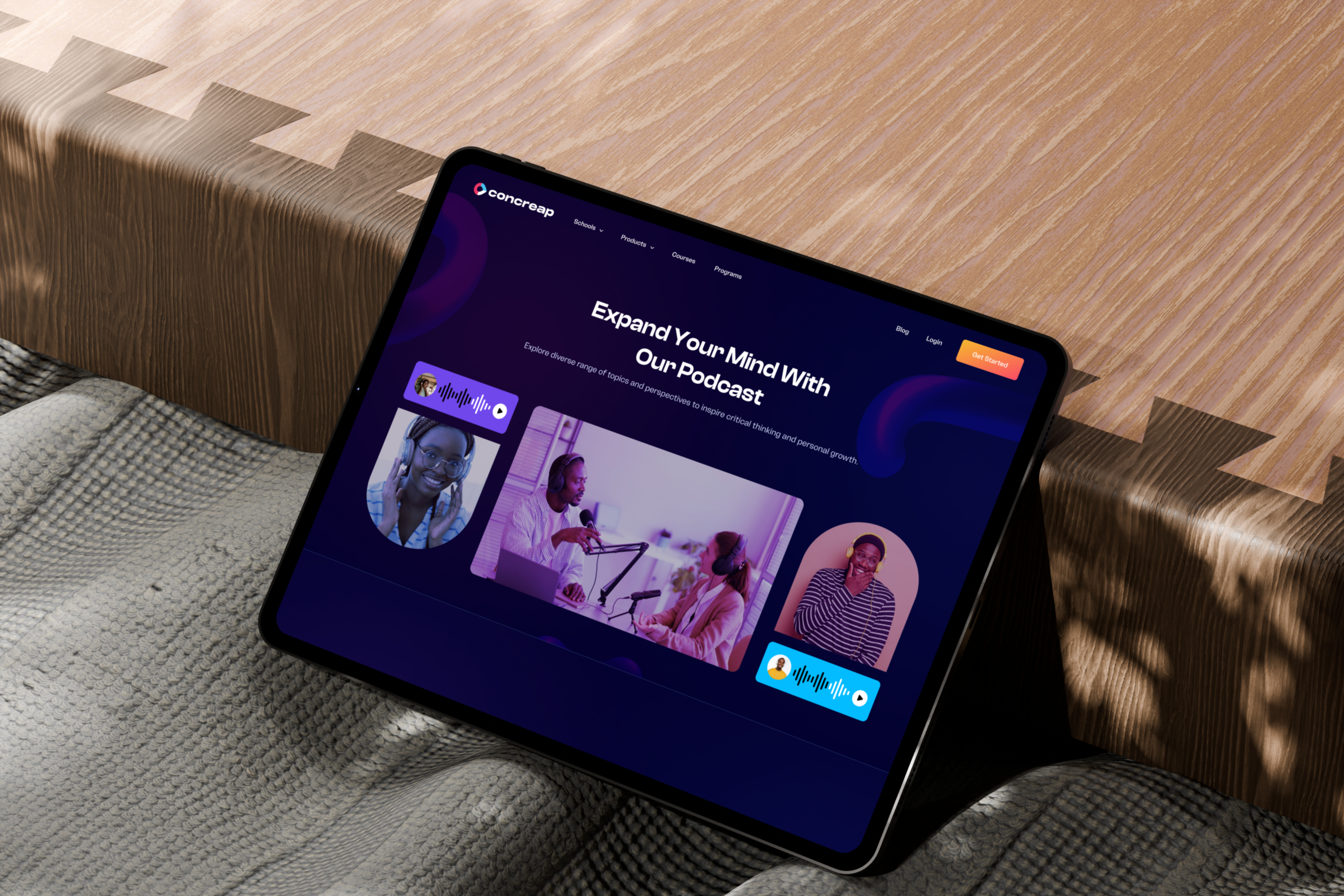
Concreap is an online learning platform designed to support both individual skill development and organizational workforce training. The platform provides a structured environment where learners can build professional skills, educators and creators can share knowledge, and businesses can train and monitor the development of their teams.
Unlike many traditional learning platforms that focus primarily on course delivery, Concreap aims to bridge the gap between learning and practical application. The platform combines structured learning programs, progress tracking, and collaboration tools to help users translate knowledge into measurable professional growth.
Concreap serves three primary user groups:
The product was created to address the growing demand for learning platforms that not only deliver educational content but also support measurable skill development, collaboration, and workforce readiness.
Despite the rapid growth of online learning platforms, many solutions focus primarily on delivering courses rather than enabling structured skill development and workforce training. As a result, learners often struggle to maintain motivation, track their learning progress, and apply acquired knowledge in meaningful ways.
At the organizational level, companies face additional challenges when managing employee training programs. Many existing platforms lack centralized tools that allow trainers and HR teams to effectively monitor learning progress, evaluate outcomes, and support collaboration between instructors and learners.
Research conducted through stakeholder interviews, user surveys, and competitor analysis revealed several core challenges that limit the effectiveness of many learning platforms.
Key issues identified included:
These insights highlighted the need for a platform that supports structured learning, measurable progress, and collaboration while serving the needs of both individual learners and organizations.
To create a learning platform that connects education with real-world application while supporting learners, educators, and organizations in developing and sharing professional skills effectively.
Key goals included:
• Build a user-friendly interface with a smooth learning flow
• Ensure seamless integration between learners, instructors, and businesses
• Build robust tools for program delivery, tracking, and collaboration
• Create engaging and interactive learning features
• Guarantee secure data management and scalability
Key Metrics
• Reduced onboarding time by 35% through improved user flow
• Increased platform engagement by 40% with interactive dashboards
• Improved navigation efficiency by 25% via optimized information architecture
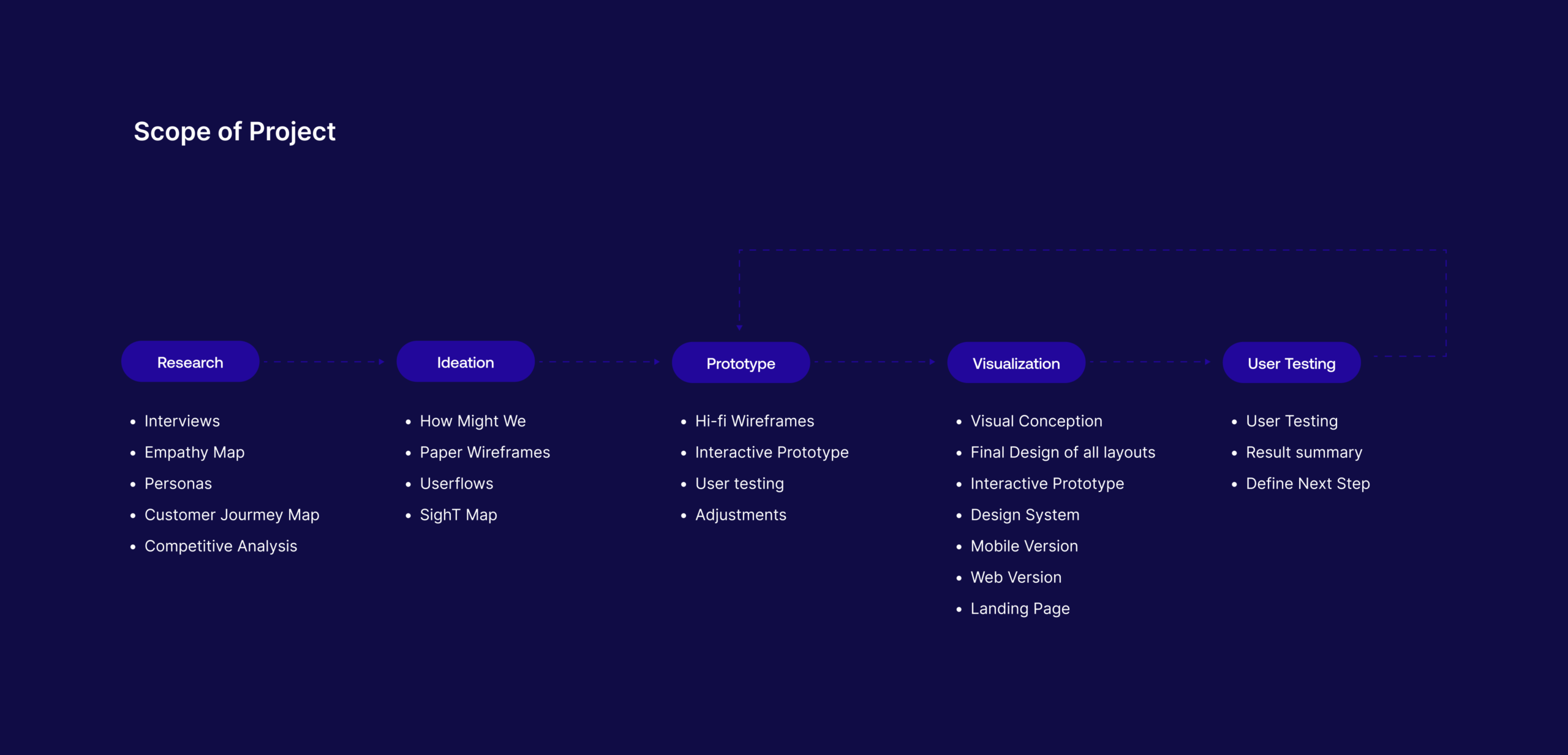
• Stakeholder Interviews:
The goal was to understand Concreap’s vision, objectives, challenges, and expectations. These sessions helped align the design strategy with business goals, shaping Concreap into a platform that connects individual growth with workforce development.
• Interview with Potential Users:
Interviewed individuals, corporate trainers, and HR managers to identify motivations, frustrations, and needs. Findings revealed a strong demand for structured learning, easy performance tracking, and collaboration tools for both individuals and organizations.
• Survey Plan:
An online survey was conducted across the three user groups to collect quantitative data on usage habits, content preferences, and feature expectations. Insights from the survey confirmed the need for personalized dashboards, clear progress visualization, and team analytics.
• Competitor Research:
To understand the market landscape and identify potential gaps, I analyzed major competitors, including LinkedIn Learning, Coursera for Business, Udemy for Teams, and Skillshare. This research focused on their strengths, weaknesses, and overall user experience. The insights helped shape Concreap’s strategy to bridge the gap between individual learning and enterprise workforce development, emphasizing collaboration, analytics, and usability.
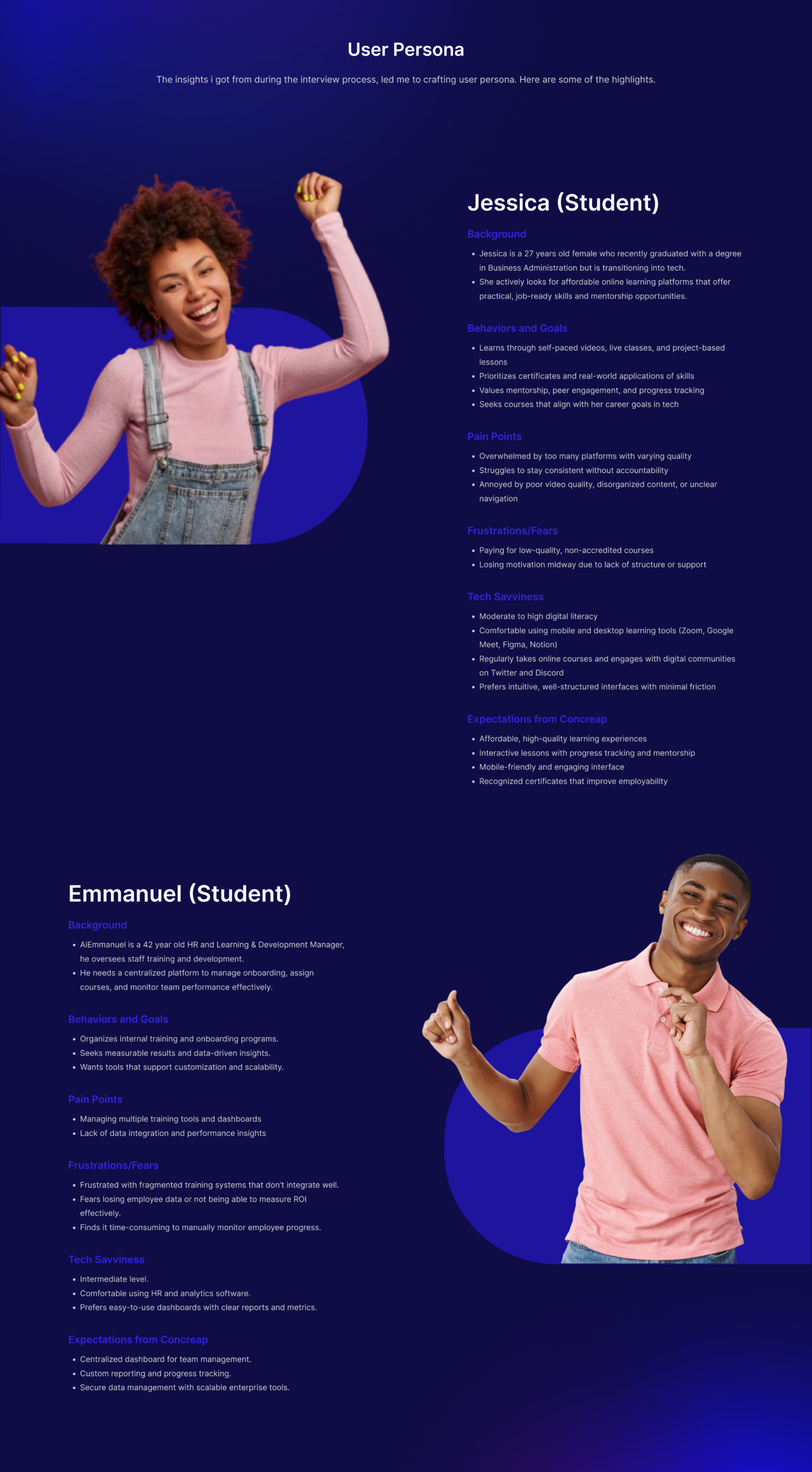
To frame design opportunities from user pain points, I conducted a “How Might We” (HMW) session. The goal was to reframe challenges into open-ended questions that encourage creative problem-solving.
Some examples included:
• How might we help businesses easily monitor and measure employee learning outcomes?
• How might we make it easier for creators to upload, manage, and track course performance?
• How might we motivate individuals to stay consistent and complete their learning programs?
• How might we make the onboarding experience seamless for all user types?
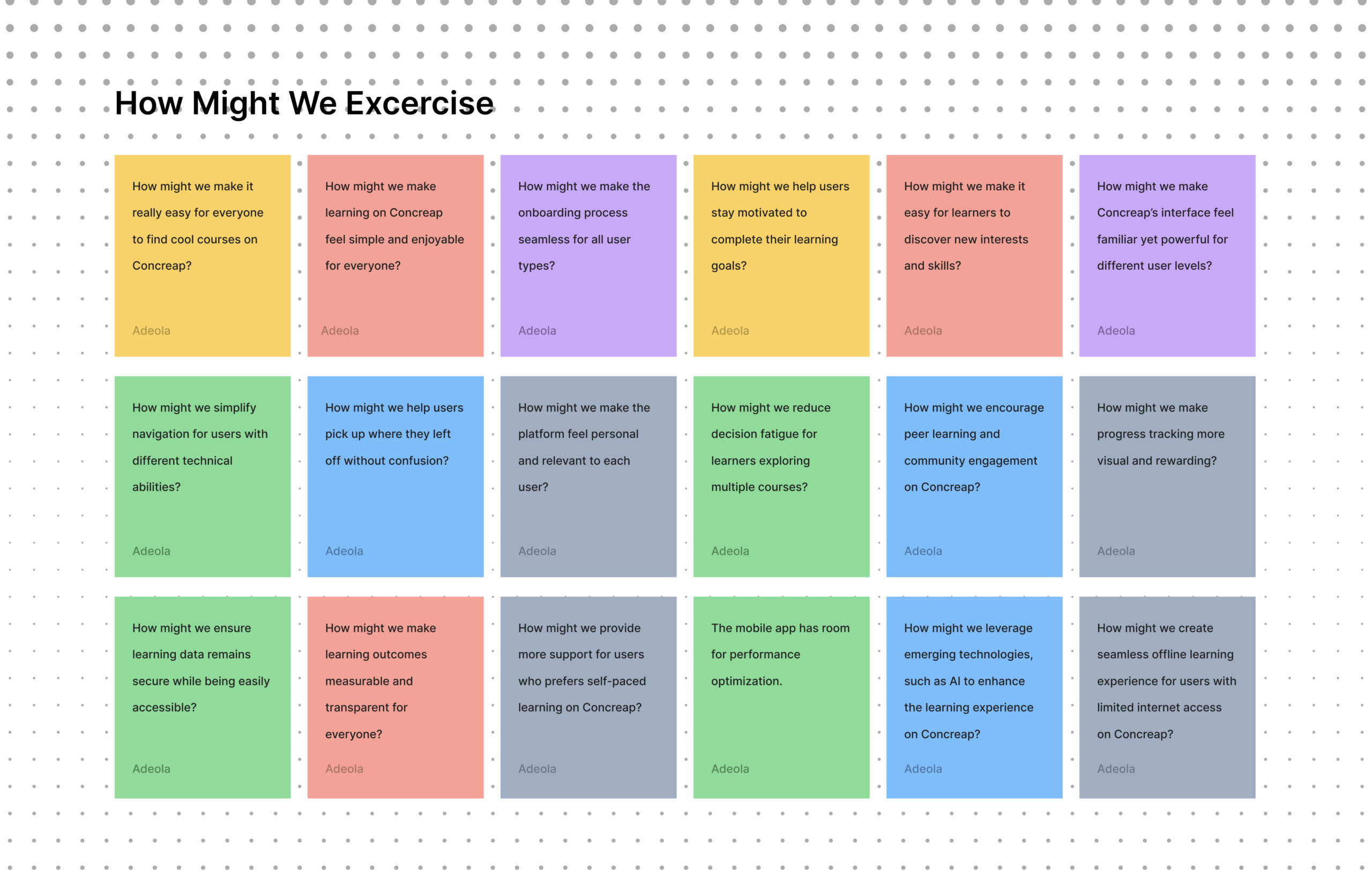
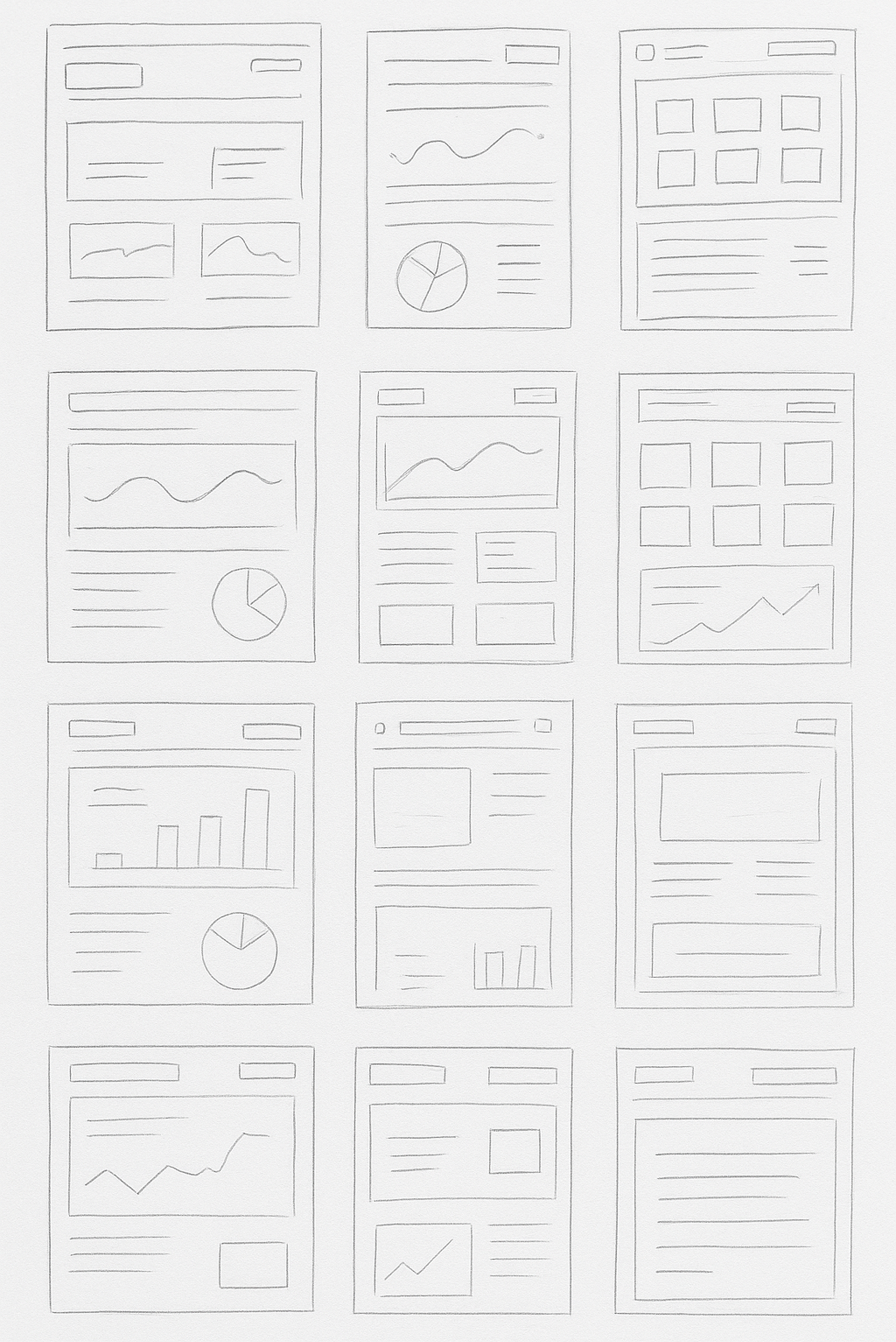
I translated research insights into low-fidelity wireframes to define the product’s structure, user flows, and information hierarchy. At this stage, the focus was not on visual design, but on solving core usability challenges, ensuring that each user group could navigate the platform intuitively and complete key tasks with minimal friction.
These wireframes helped validate how learners discover content, how organizations track performance, and how creators manage courses within a unified system. By prioritizing clarity and flow early, I was able to identify gaps, test assumptions, and iterate quickly before committing to high-fidelity designs.
Building on the validated wireframes, I translated the product structure into high-fidelity designs that focus on clarity, scalability, and consistency across the platform. The goal was to create an experience that supports multiple user groups while maintaining a clean and intuitive interface.
The visual direction emphasizes a structured layout, clear hierarchy, and accessible interactions, ensuring that learners can focus on progress, creators can efficiently manage content, and organizations can easily access performance insights. Design decisions were guided by usability findings, particularly around reducing cognitive load, improving navigation, and making key actions more visible.
A modular design system was introduced to ensure consistency across components such as dashboards, course views, and analytics panels. This approach allowed the platform to scale while maintaining a cohesive user experience across different use cases.
1. Onboarding
Goal
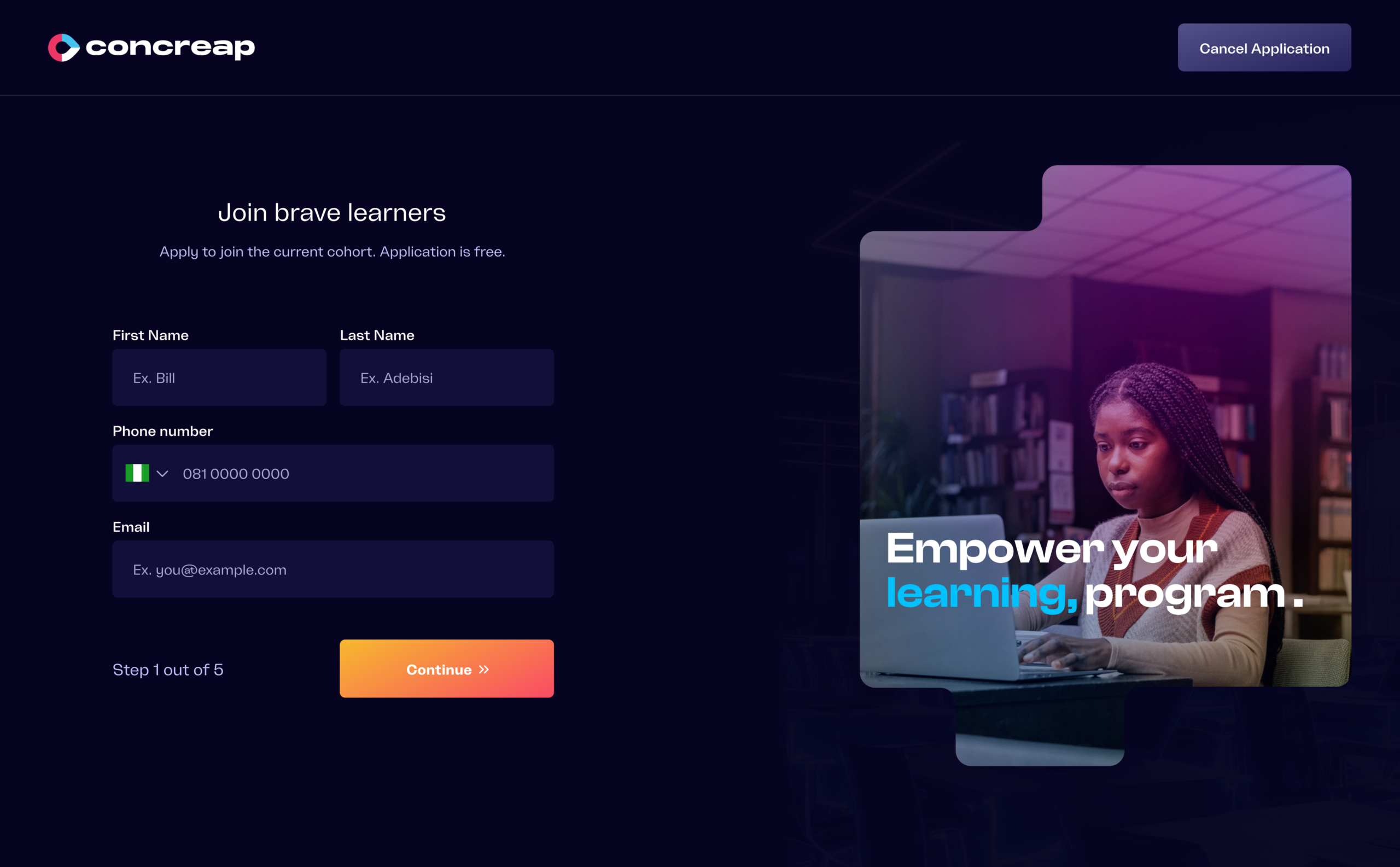
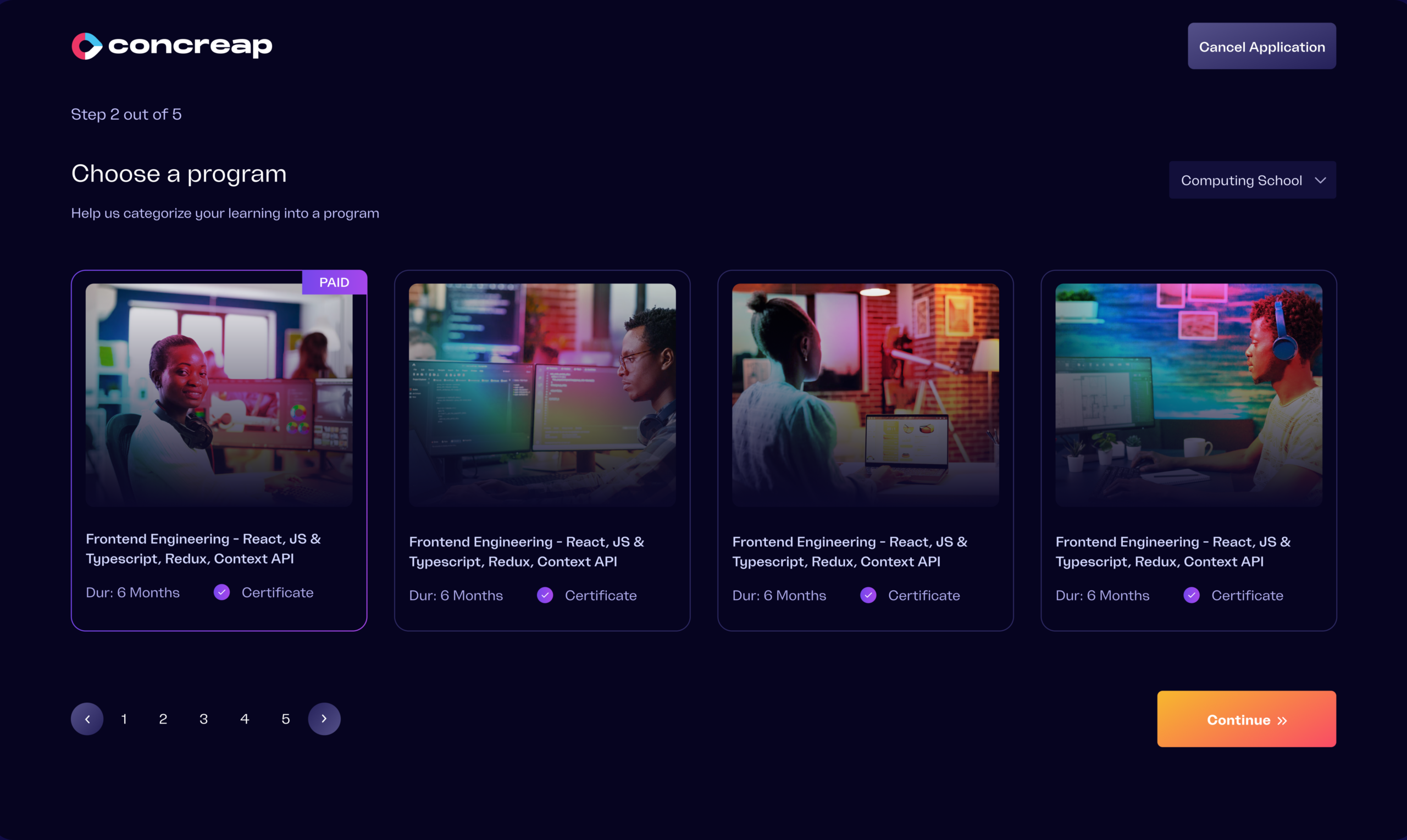
Create a welcoming and personalized onboarding experience that helps users quickly set up their account while aligning the platform with their learning goals and skill level.
Design
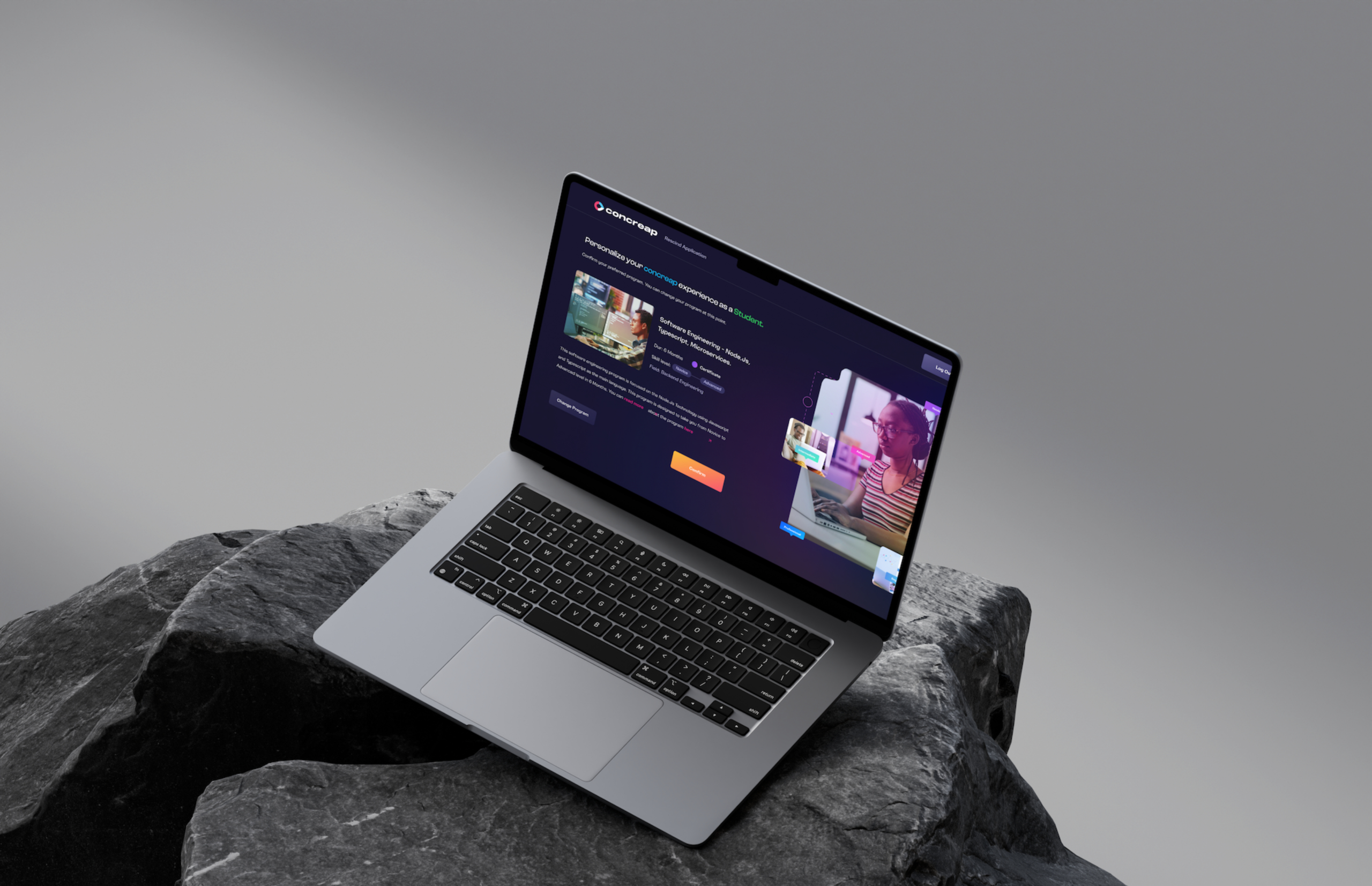
I designed the registration and login flow with supportive visual elements that create a more approachable and user-friendly first experience. During onboarding, users can select their skill level and preferred programs, allowing the platform to tailor recommendations and create a more curated learning journey from the start.
2. Dashboard
Goal
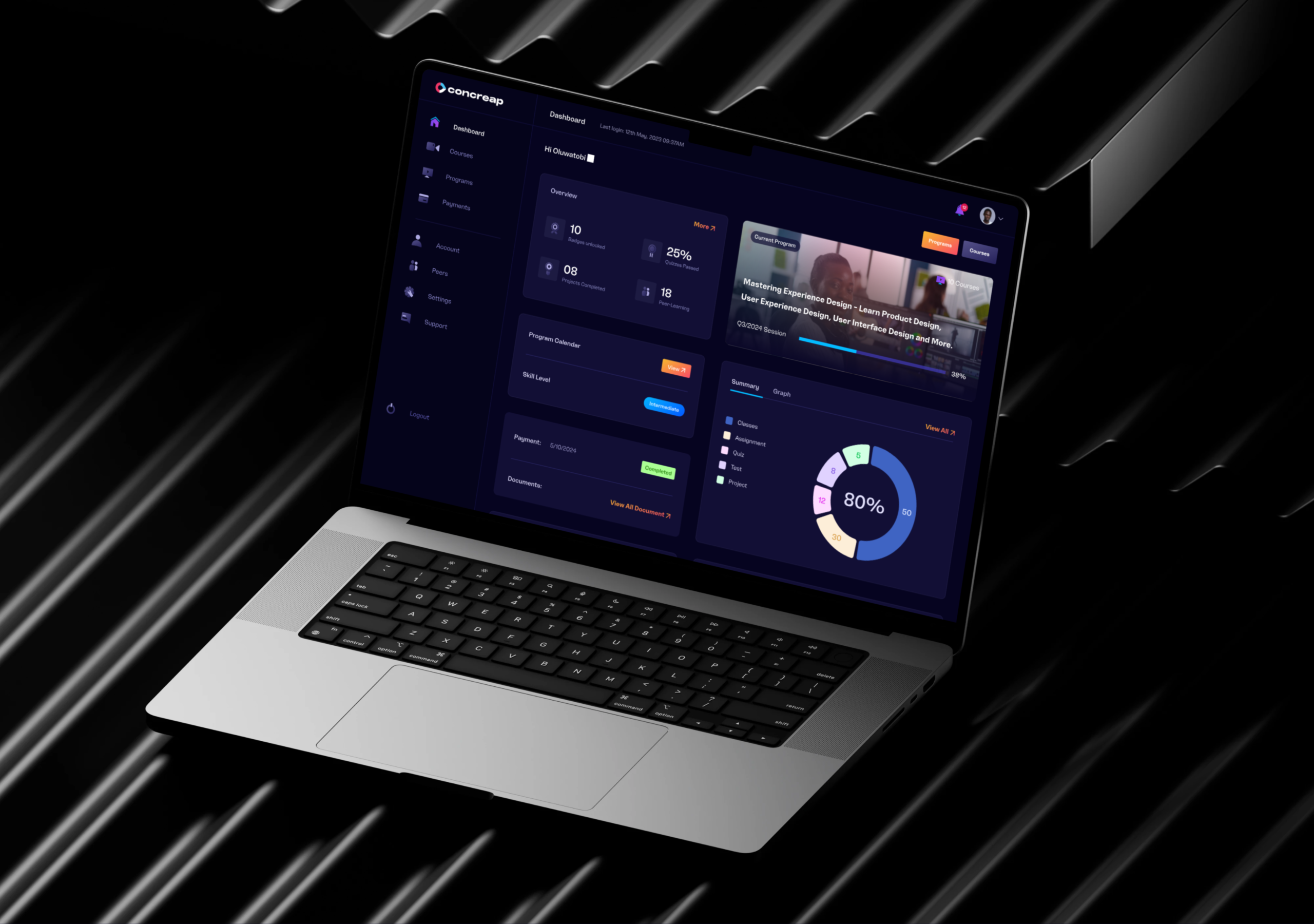
Provide users with a centralized overview of their learning journey and key activities in one accessible place.
Design
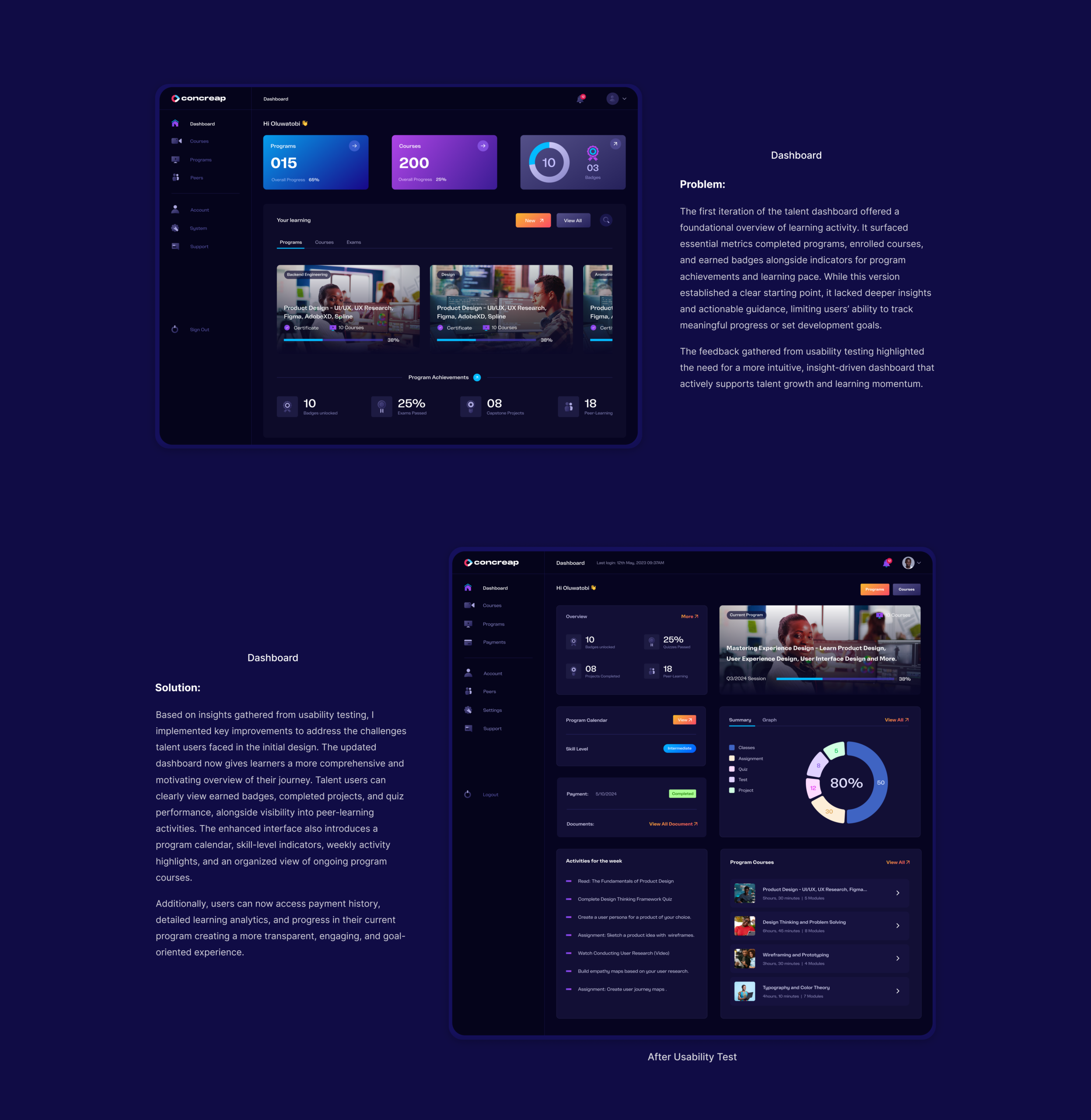
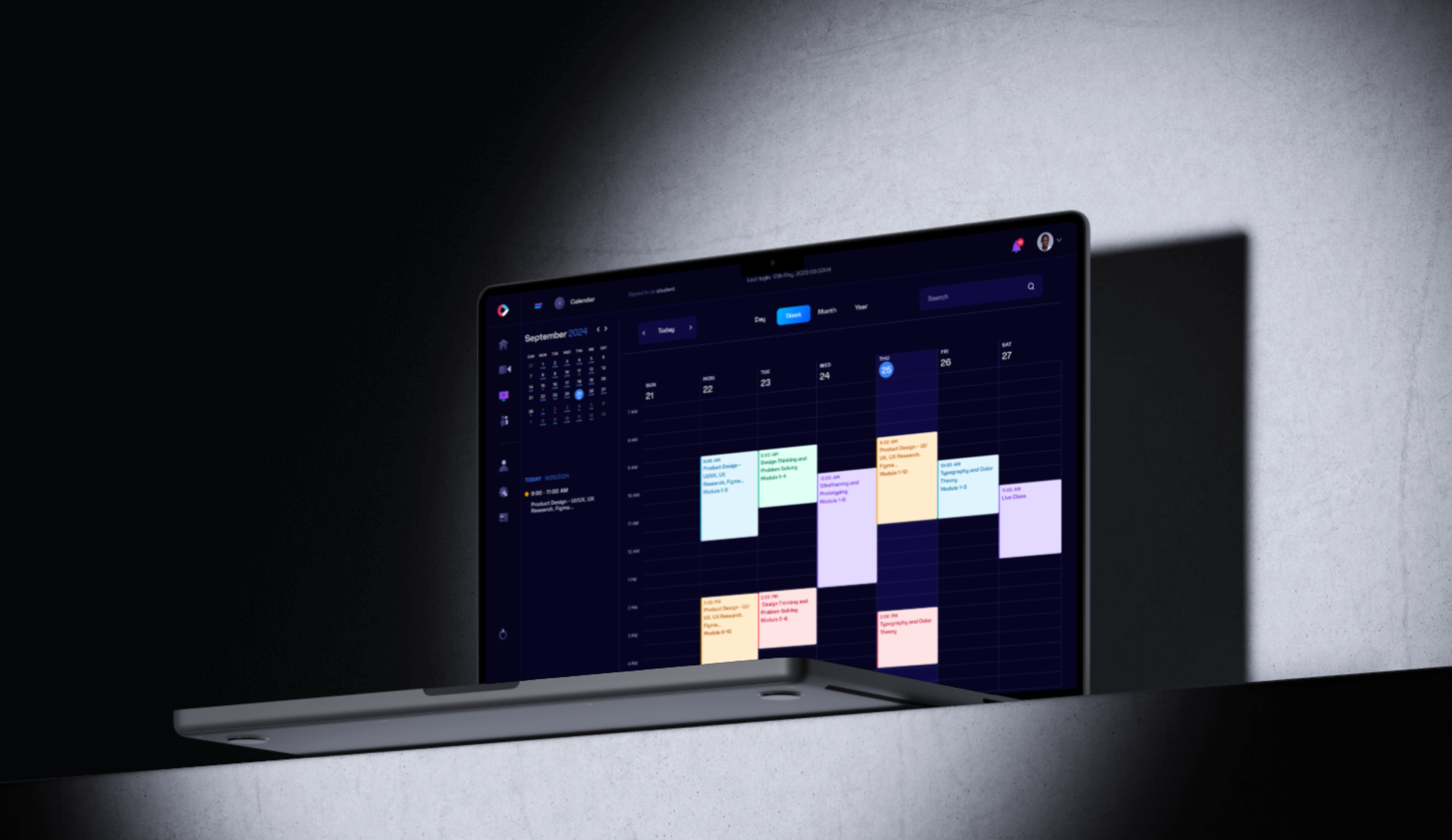
The dashboard was designed to surface the most relevant information at a glance, including current programs, weekly activities, analytics, payment information, the program calendar, and skill-level insights. This layout helps users quickly understand their progress and stay engaged with their learning goals.
3. Programs
Goal
Make it easy for users to discover, track, and manage their learning programs without confusion.
Design
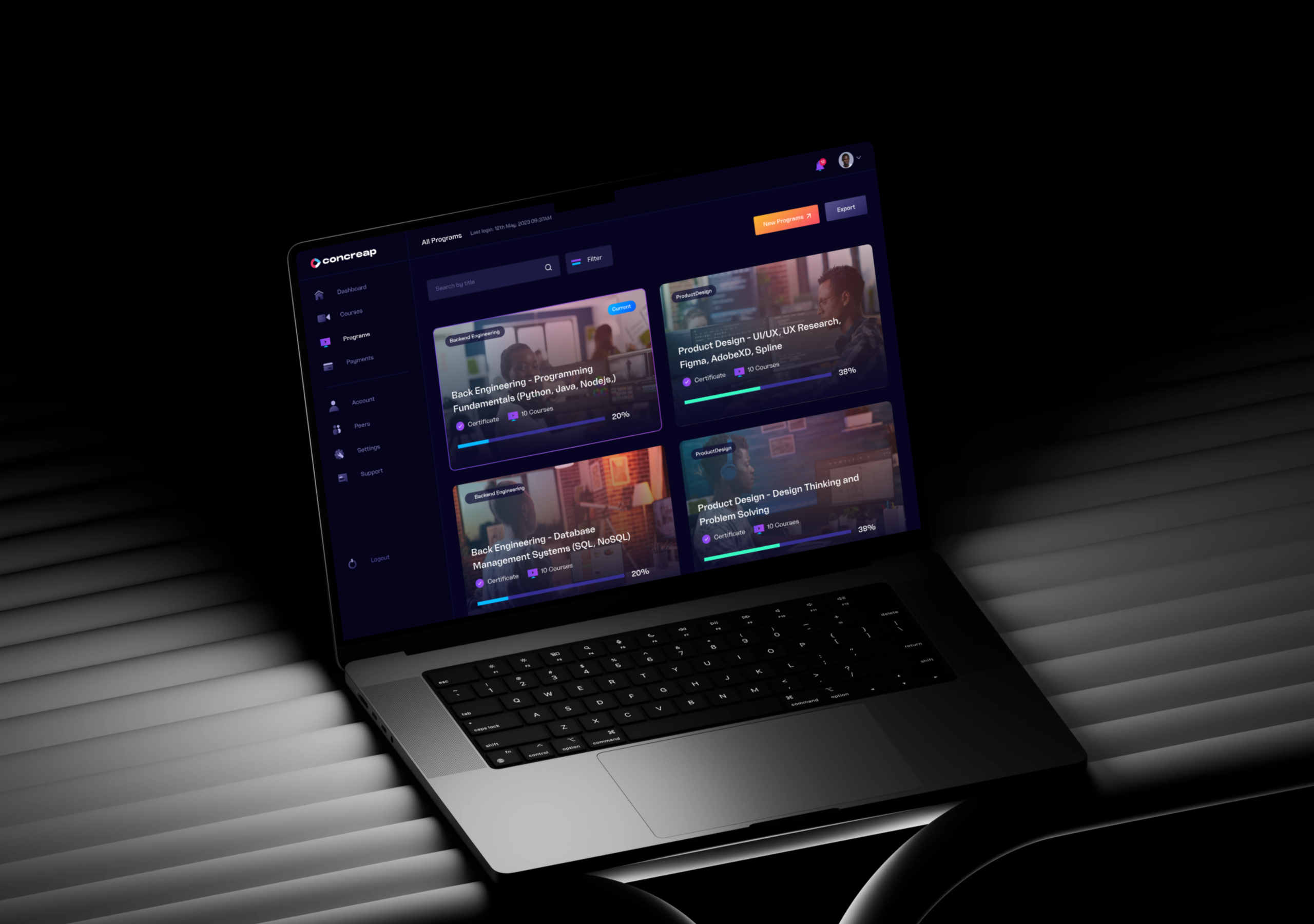
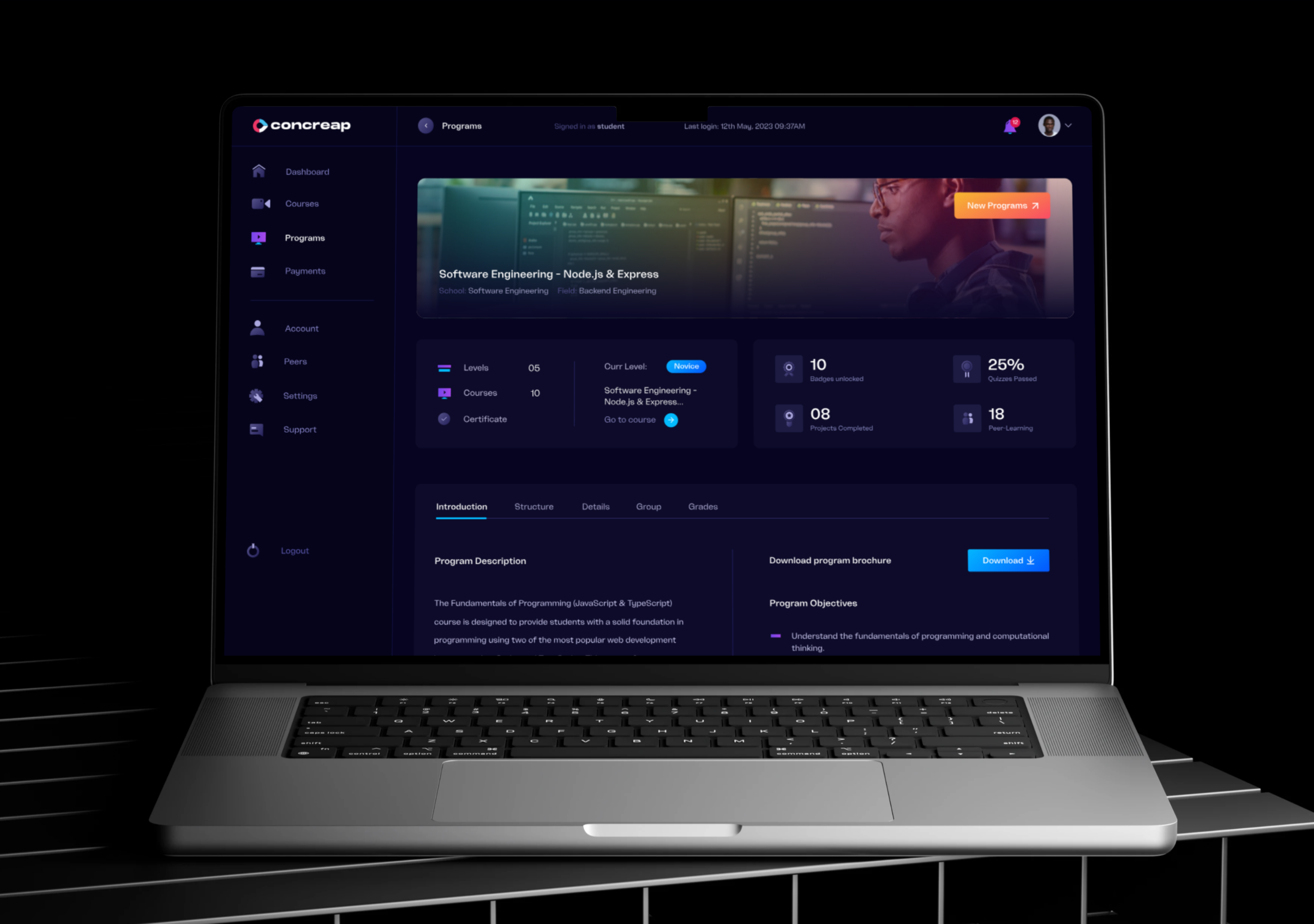
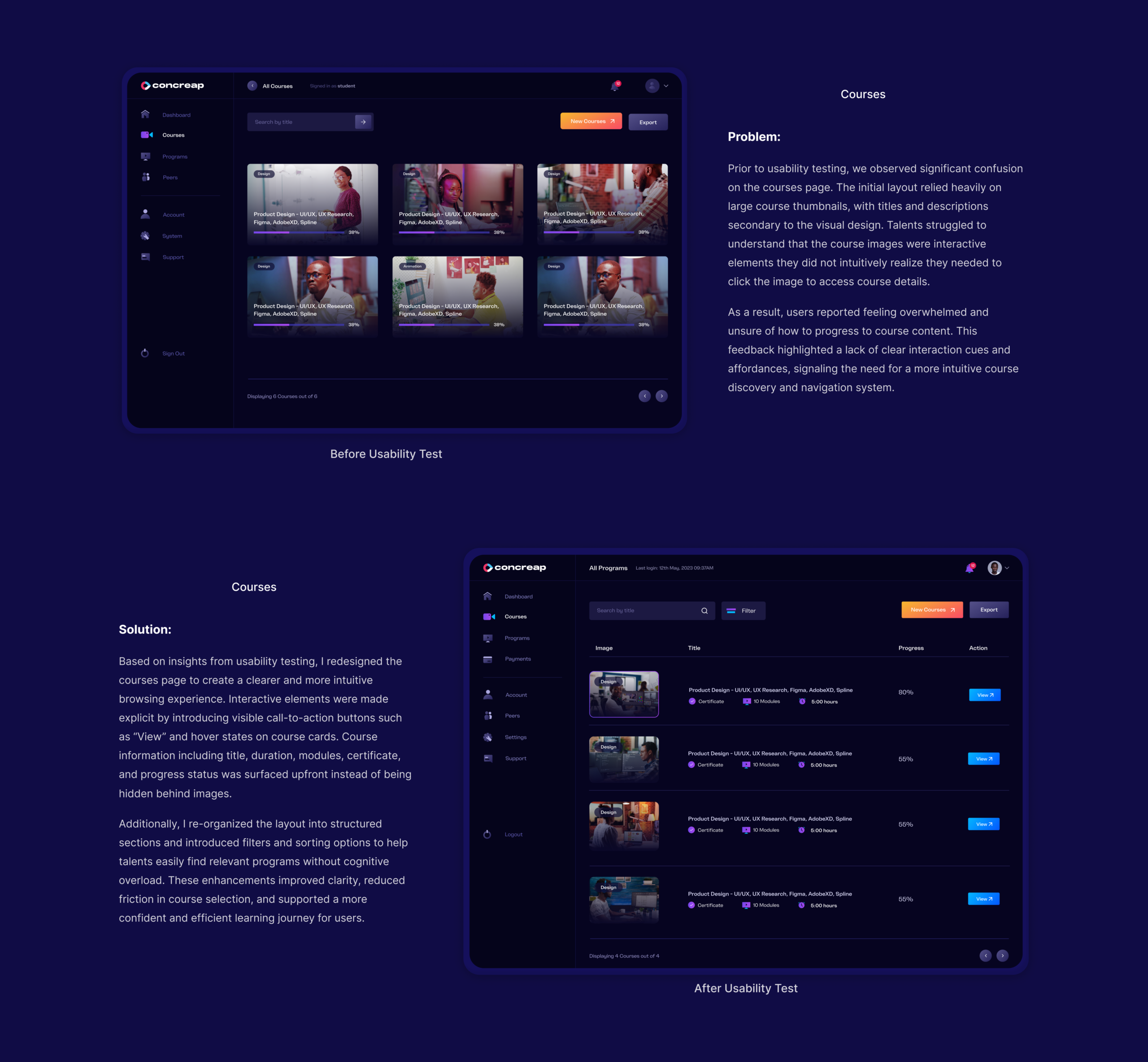
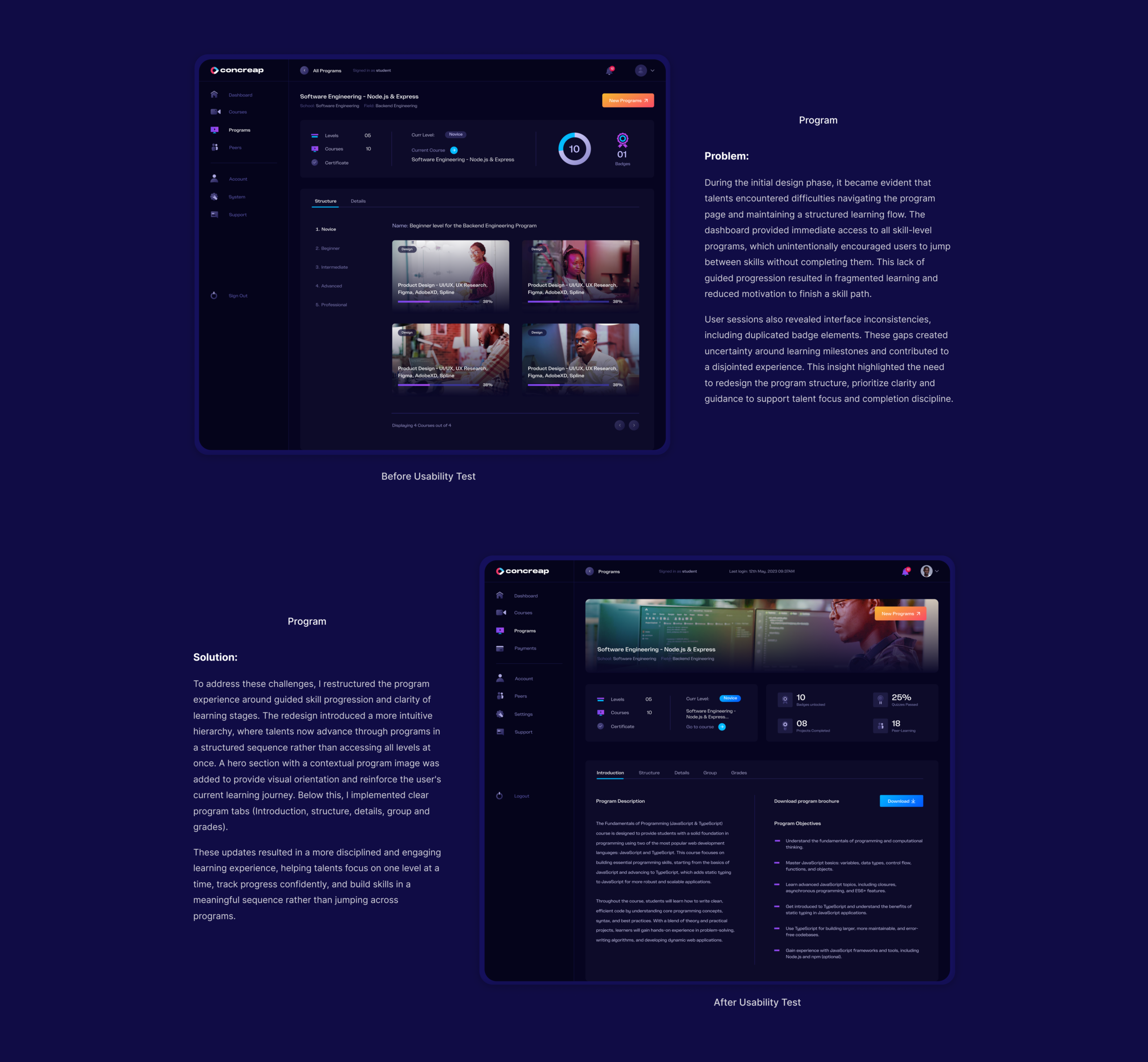
The Program Dashboard presents all active and completed programs in a structured view, with filtering and search tools to facilitate navigation. Progress indicators help users monitor their advancement, while clear call-to-action buttons guide them to start new programs or explore detailed program information.
4. Courses
Goal
Enable users to easily explore courses, track learning progress, and complete programs efficiently.
Design
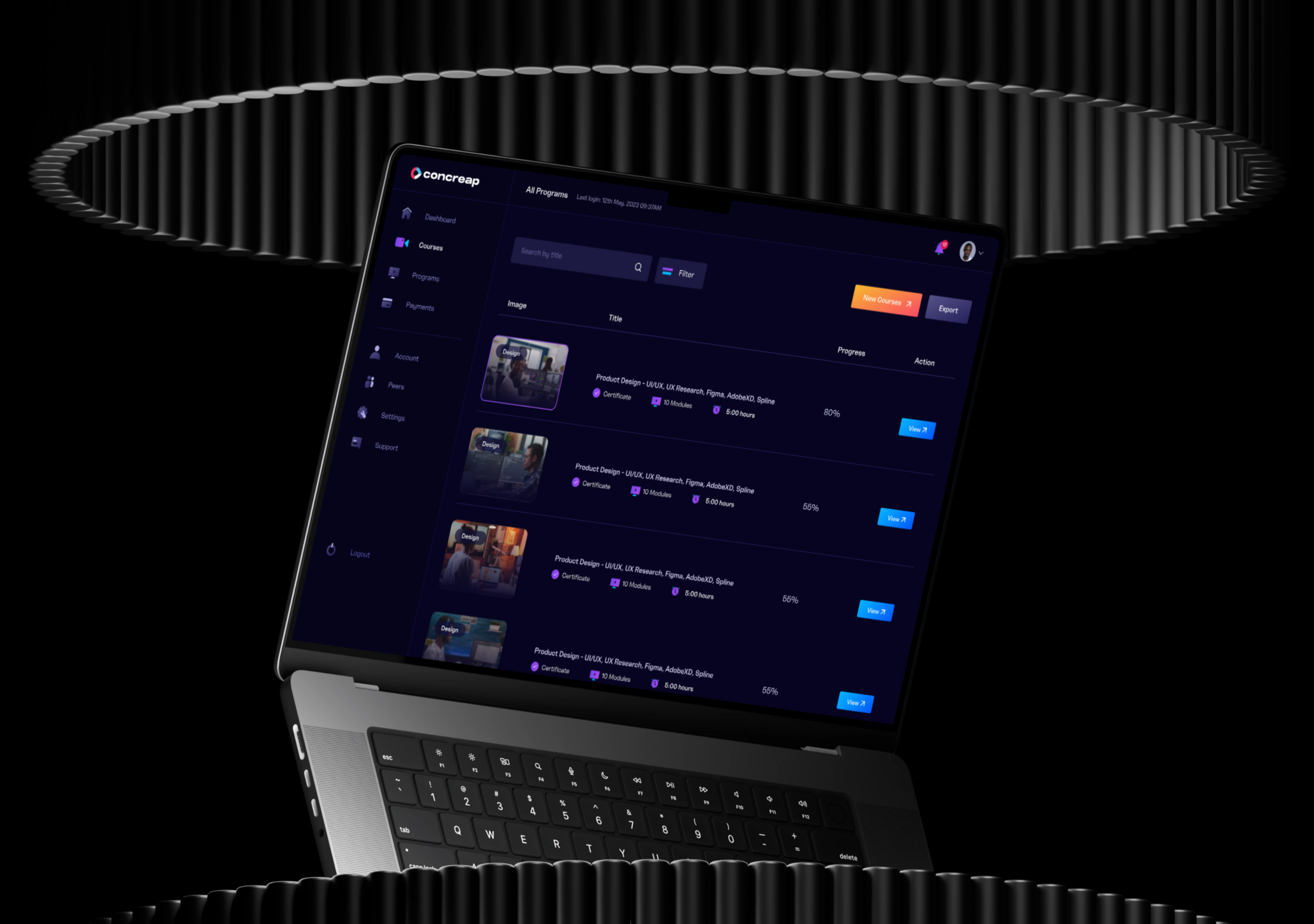
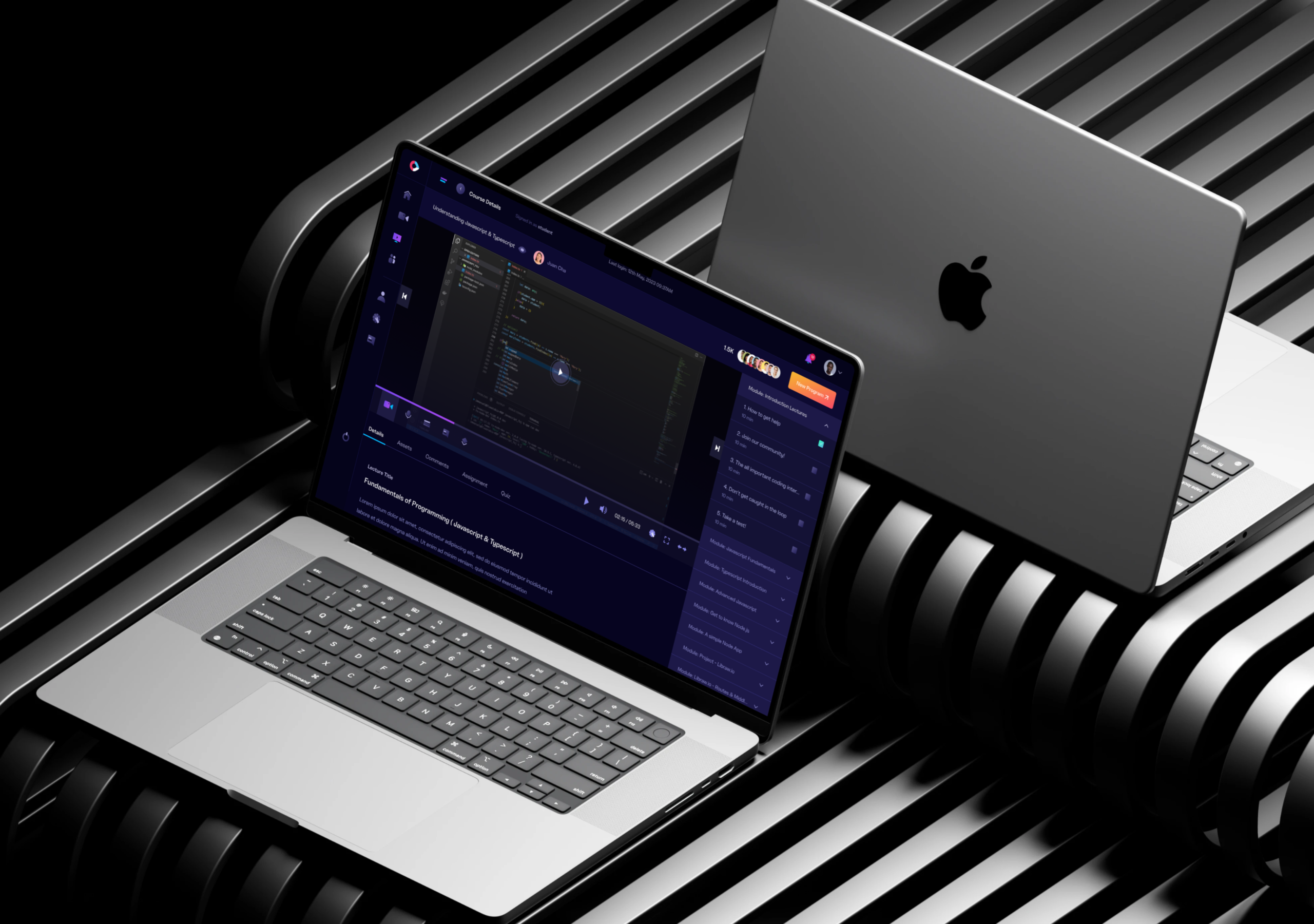
The Course Library provides a centralized space where users can browse available courses using search and filtering options. Each course includes progress tracking and detailed information, helping users stay organized throughout their learning journey. Upon completing a program, users receive a certificate that validates their achievement.
5. Account
Goal
Give users full visibility and control over their account, performance data, and platform preferences.
Design
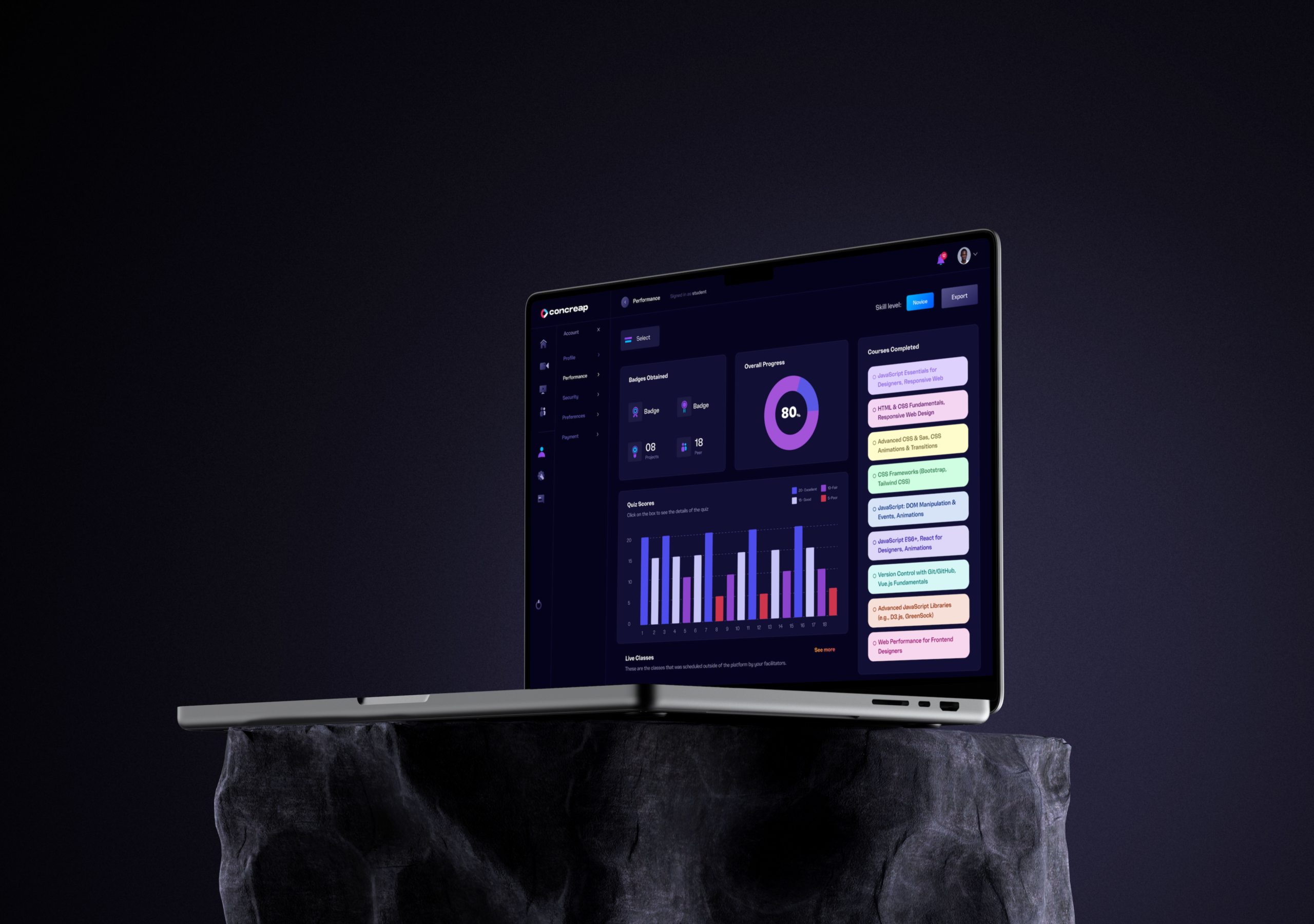
I designed a unified account management center where users can access key settings such as Profile, Security, Preferences, Performance insights, and Payment details. This structure ensures users can easily manage their information while monitoring their progress and overall platform activity.
Usability testing was conducted during the design process to evaluate the effectiveness of Concreap’s redesigned learning experience. The goal was to validate design decisions, uncover usability barriers, and ensure the platform supported the needs of learners, instructors, and organizations navigating courses, training programs, and learning dashboards.
Approach
Moderated usability testing sessions were conducted with participants representing the platform’s primary user groups, including students, early career professionals, course creators, HR managers, and corporate trainers. Testing focused on critical platform workflows such as onboarding, course discovery, dashboard navigation, and program enrollment.
Participants were asked to complete realistic tasks such as creating a profile, browsing available courses, enrolling in a program, viewing progress in the learning dashboard, and accessing team training analytics. Each session was conducted remotely and recorded to capture behavioral patterns, decision-making processes, and areas of confusion. After the sessions, observations were synthesized to identify recurring usability issues and opportunities for improvement.
Key Findings
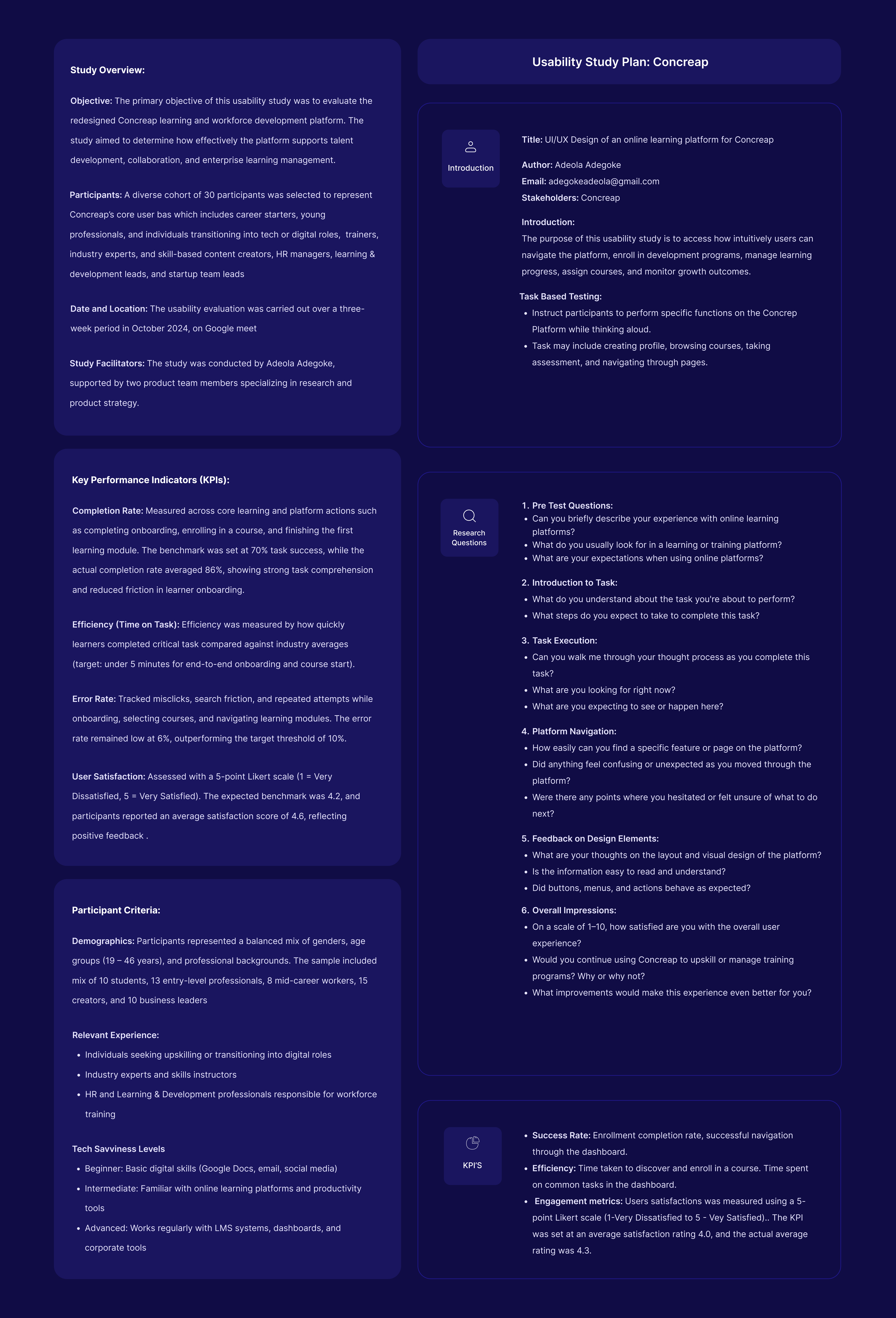
The usability study provided valuable insights into how different user groups interact with Concreap and what improvements would make the platform more effective for learning and workforce development. Feedback from learners, instructors, and business users revealed several patterns that influenced key design decisions.
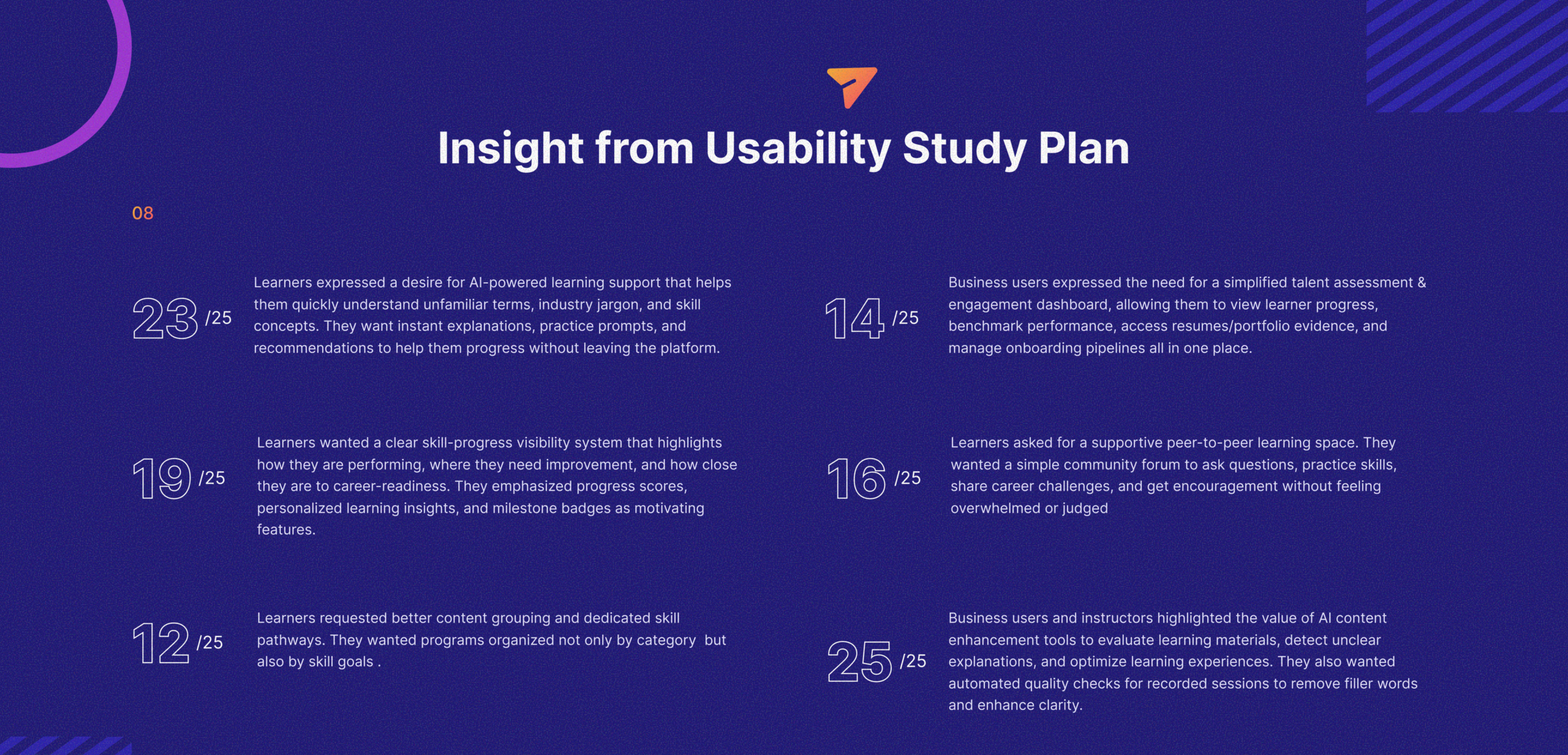
Insights from usability testing highlighted several areas for improvement. By analyzing user behavior, feedback, and task completion patterns, key usability challenges were identified and addressed through targeted design improvements. The goal was to simplify the learning journey, improve engagement, and support both individual learners and organizational users more effectively.
To resolve these challenges, design iterations focused on improving information clarity, navigation structure, and user engagement mechanisms. Progress tracking was redesigned to provide clearer visual feedback, allowing learners to better understand their advancement and identify areas for improvement.
These improvements ensured that the platform not only addressed the usability issues discovered during testing but also created a more engaging and intuitive learning experience for all user groups.
The redesigned Concreap platform significantly improved how learners, creators, and organizations interact with the learning ecosystem. By addressing usability challenges identified during research and testing, the platform delivered measurable improvements in onboarding efficiency, engagement, and navigation clarity.
Overall, these improvements created a more intuitive and engaging learning environment that supports both individual growth and organizational skill development.
One of the most effective aspects of this project was the emphasis on research-driven design decisions. Conducting stakeholder interviews, user interviews, and surveys early in the process provided a strong foundation for understanding the needs of different user groups.
Another success factor was designing personalized experiences for different audiences while maintaining a consistent platform structure. Creating role-based dashboards allowed the platform to support learners, creators, and business users without overwhelming them with unnecessary features.
Usability testing also played a critical role in validating design assumptions. Observing how users navigated the platform revealed important usability gaps that might not have been identified through research alone.
This project reinforced the importance of designing for multiple user groups within a single ecosystem. When a platform serves different audiences, it becomes essential to balance flexibility with simplicity so that each user type can accomplish their goals without unnecessary complexity.
It also highlighted how clear progress visibility and feedback loops are essential for motivation, especially in learning environments. Users are more likely to stay engaged when they can easily see their progress and understand the value of continuing.
Another key lesson was the value of structured information architecture. When content and features are organized around user goals rather than internal system structures, the experience becomes significantly easier to navigate.
Working on Concreap strengthened my ability to design products that serve multiple stakeholders while maintaining a cohesive user experience. It improved my approach to balancing business requirements, user needs, and scalability when designing platform-based products.
The project also reinforced the importance of integrating research, usability testing, and iteration throughout the design process rather than treating them as isolated phases.
Most importantly, it deepened my understanding of how thoughtful UX design can support both individual learning journeys and organizational training goals, ultimately creating products that deliver value for a wider ecosystem of users.